

Leave us a Review



INVESTMENT PRODUCTS: NO BANK GUARANTEE | NOT A DEPOSIT | NOT FDIC INSURED | NOT INSURED BY ANY FEDERAL GOVERNMENT AGENCY | MAY LOSE VALUE
The uninvested cash, up to $250,000, is the only portion of your account insured by the FDIC.
ENROLL if you are a new user. If you are already a current user of the online account portal, SIGN UP for electronic statements.
GoldStar Trust provides links to web sites of other organizations in order to provide visitors with certain information. A link does not constitute an endorsement of content, viewpoint, policies, products or services of that web site. Once you link to another web site not maintained by GoldStar Trust, you are subject to the terms and conditions of that web site, including but not limited to its privacy policy.
Click the link above to continue or CANCEL
We have provided some FAQs below if you need help.
Please follow the steps outlined below to log on to your account. If you are still encountering issues accessing your account, please contact our Investor Services Department at 800-486-6888, option 4.
NOTE: The browsers recommended for the site are Google Chrome, MS Edge and Apple Safari.
You MUST register online and establish a Username and Password in order to login to your account. If you have not previously registered your account, please click the Register link on the login page to self-enroll. For help in registering your account, please click here to access the Self-Enrollment Guide.
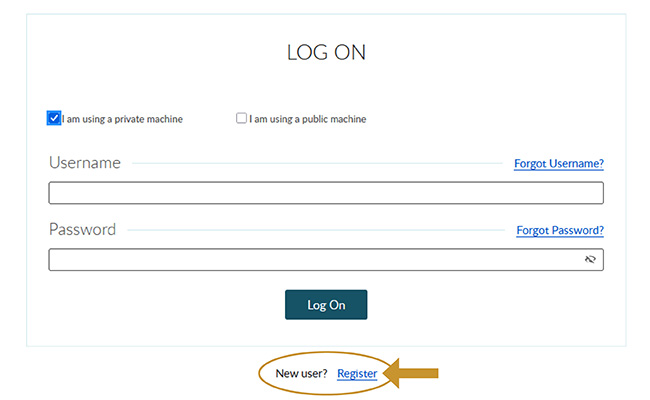
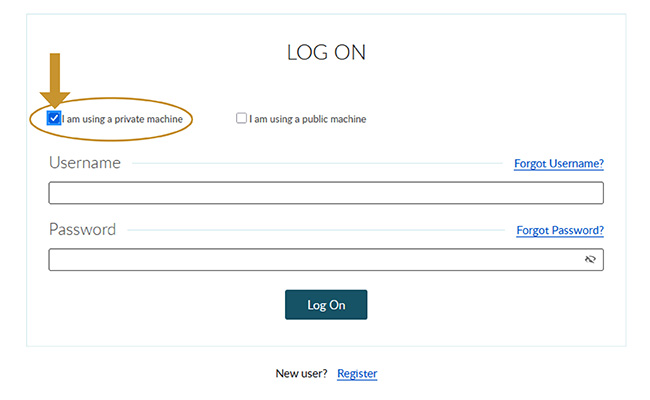
You MUST click on the box stating “I am using a PRIVATE machine” as shown in the image below. Please note you will NOT be able to log in if “I am using a PUBLIC machine” is selected or if both options are left blank.
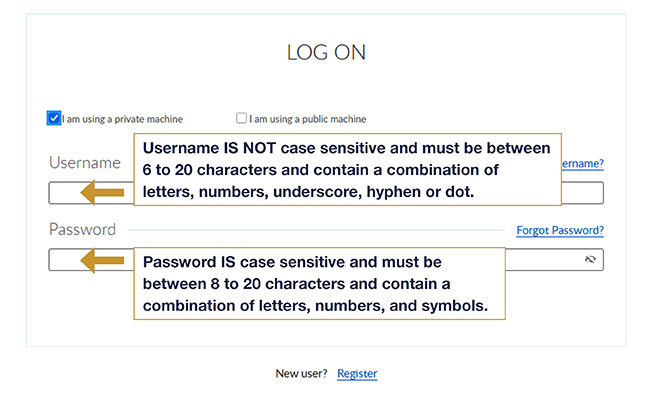
The Username IS NOT case sensitive and is between 6 to 20 characters, containing a combination of letters, numbers, underscore, hyphen or dot.
The Password IS case sensitive and is between 8 to 20 characters, containing a combination of letters, number, and symbols.
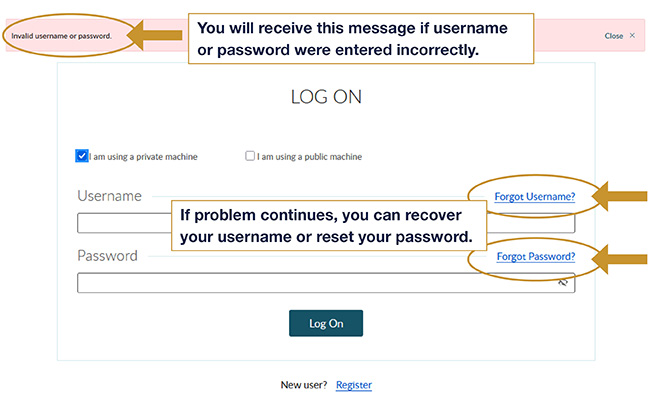
If you enter the username or password incorrectly, you will receive a message stating that the entry was invalid. Try entering your username and password again. If the problem continues, you can recover your username by clicking on FORGOT USERNAME? or if you think the username is correct, you can reset your password by clicking on FORGOT PASSWORD?.
If you are not sure what your username is, you can recover it by clicking on FORGOT USERNAME?.
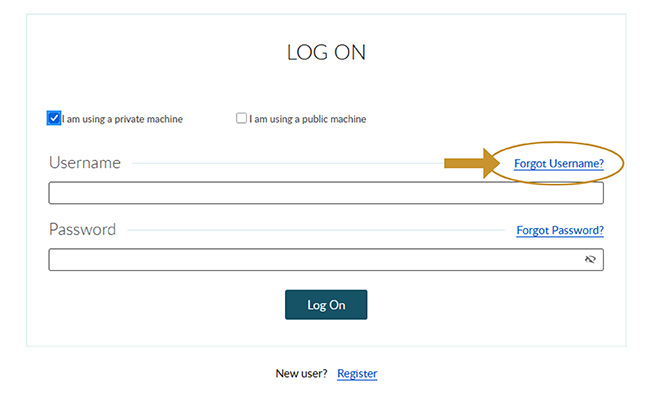
After you click on FORGOT USERNAME? you will see the following recovery screen:
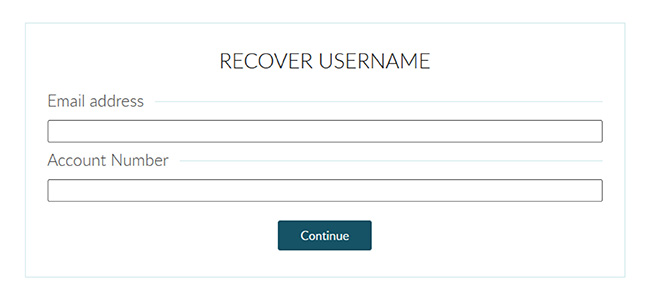
Enter your email address and account number. Then you will be prompted to answer a security question (even if the email address entered is invalid/not on file).
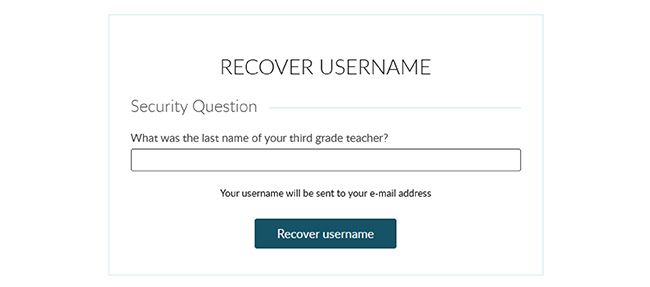
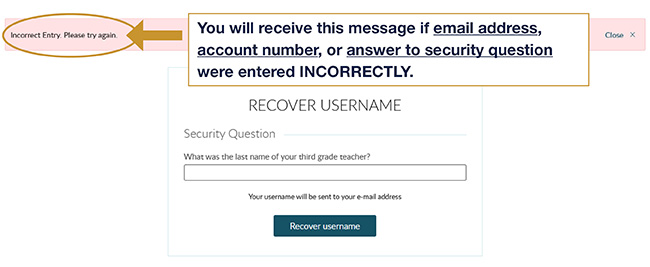
Answer the security question. If you entered the email address, account number, or answer to the security question INCORRECTLY, you will receive a message stating that an incorrect entry was made. There will be no indication that the email address entered was not on file or that the answer to the security question was incorrect. If this happens, please try entering your information again.
Once your email address, account number, and answer to security question are entered correctly, you will see the following message:

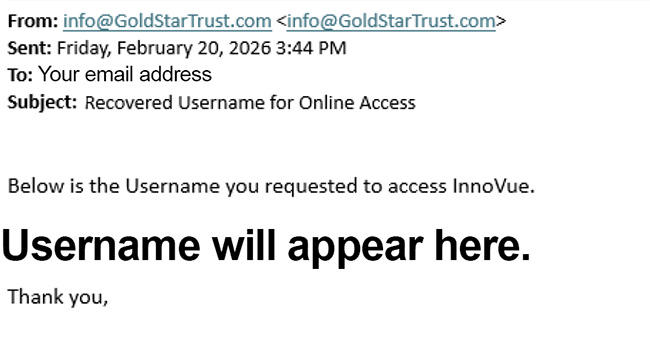
You will then receive an email in your inbox that tells you the username. The email will look like the following:
If you have forgotten your password or would link to reset your password, you can do so by clicking on FORGOT PASSWORD?. If you do not see the link, make sure that the “I am using a private machine” is checked.
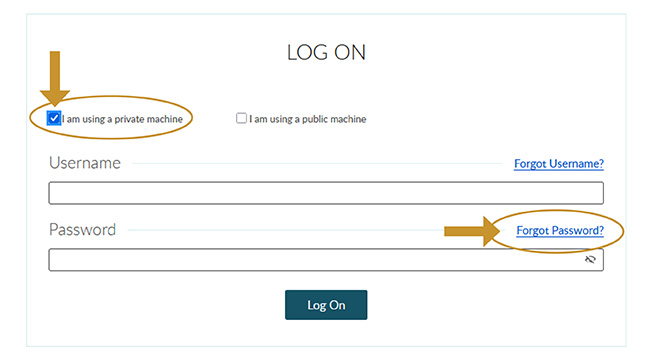
After you click on FORGOT PASSWORD? you will see the following screen to start the reset process:
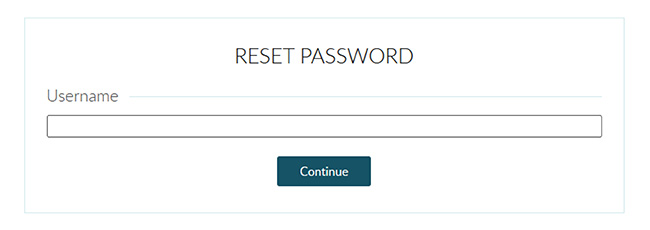
If you type in an invalid Username or the Username does not exist, you will receive the message below. Remember, Usernames are NOT case sensitive. If you have not previously registered your account, please click the Register link on the login page to self-enroll. For help in registering your account, please click here to access the Self-Enrollment Guide.

Once you enter the correct Username and click continue, you will be prompted to answer a security question.
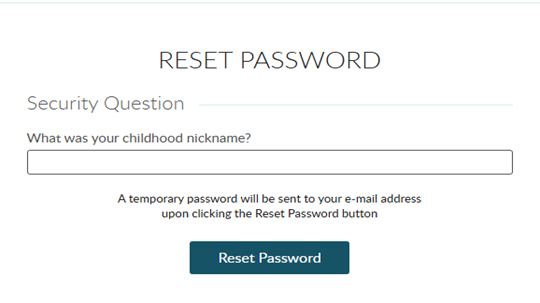
If you enter an incorrect answer to the Security Question you will receive the following message:

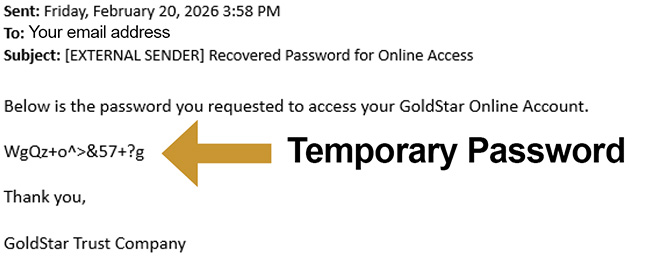
Once you answer the security question correctly, an email will be sent to you with a temporary password.
Click on the LOGIN link in the top right-hand corner of the web page.

You will then receive a message that your password needs to be changed. The temporary password provided in the email is a very complex sequence of capital and lower case letters, numbers, and symbols (ex. WgQz+o^>&57+?g). It would be best to copy the temporary password from the email and paste it into the Current Password box to make sure it matches exactly.
In the New Password box, enter a new password that has not been associated with your account previously. Passwords must be between 8 to 20 characters and contain a combination of letters, numbers, and symbols.

You are NOT able to use the exact same password that you have used in the past. If you do enter a password that has been associated with your account before, you will get the following message:

Once you enter an acceptable new password, you will receive the following message:
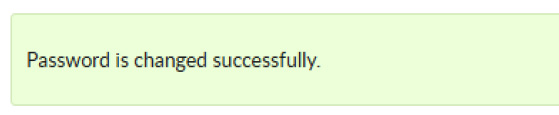
You will be immediately logged into your account.
After entering your correct Username and Password you may receive the notice below indicating that a confirmation email is being sent to your inbox.

Please check your email’s inbox for the confirmation email and open it. It will look like this:

Click on the link provided in the email and then click on the GoldStar logo to gain access to your account.

You should now be logged in and have access to your account. If you still have issues logging in after following the steps above, please contact our Investor Services Department at 800-486-6888, option 4.